My Friend Deepesh Mehta asked me to build a feature in lilarmy that he could use to manage his pantry inventory. My first reaction was “Oh let’s do some agent for that!” I guess I am AI bias like everybody else… but after a little bit of reflection, and some conversation with Claudio and Blue, yeah I named my agents, Claudio is actually Claude Code and Blue a OpenClaw that I talk using Telegram… But after the conversation I realized that what my friend needs is a deterministic behaviour: Define the expected state of the inventory, gather information of the current state and list what is missing, a.k.a. My grocery list.
That demand generated a new feature to lilarmy, scripts in the cards! on top of creating cards with annotations, tags, AI agents to auto tag, drawings, images, drawing inside the cards, cards inside cards, all of that, now you can also add Python scripts to the cards, awaiting for events to happen.
Oh almost forgot, now when you paste a JSON array in the lilarmy it will create a card of type database autodetecting the JSON columns and creating one card for each item in the array. For example, when you paste a JSON like this:
[
  {
    "brand": "TAZO",
    "name": "Wild Sweet Orange",
    "type": "Herbal Tea",
    "quantity": 1
  },
  {
    "brand": "Tetley",
    "name": "Super Herbal Tea IMMUNE",
    "description": "Lemon & Echinacea with Zinc",
    "size": "40g",
    "quantity": 1
  },
  {
    "brand": "Twinings",
    "name": "Unknown variety",
    "quantity": 1
  }
]
Lilarmy will automatically detect the columns (brand, name, type, description, size, quantity) and create individual cards for each item in a database view.
Gathering inventory data from images
I took a picture of my tea pantry and fed it to multiple AI providers to see how they would interpret the inventory:
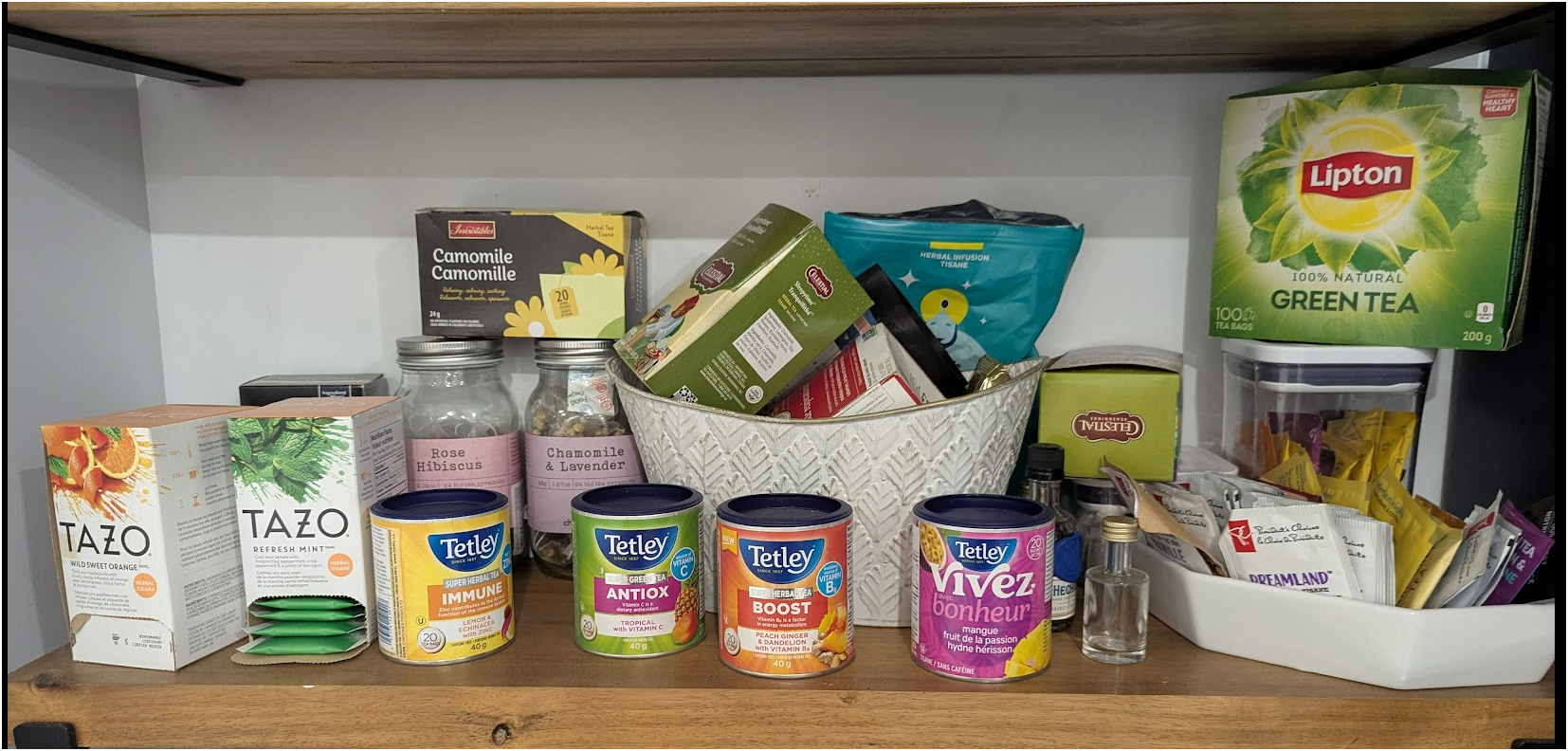 My tea pantry - the test subject for this experiment
The prompt
I used a simple prompt across all providers:
Given the provided image, identify what is in it and generate a JSON file with the name of the product found and quantities
Comparing AI providers
I tested Claude, Gemini, and OpenAI with the same image. Each one gave me a JSON array that I could paste directly into lilarmy:
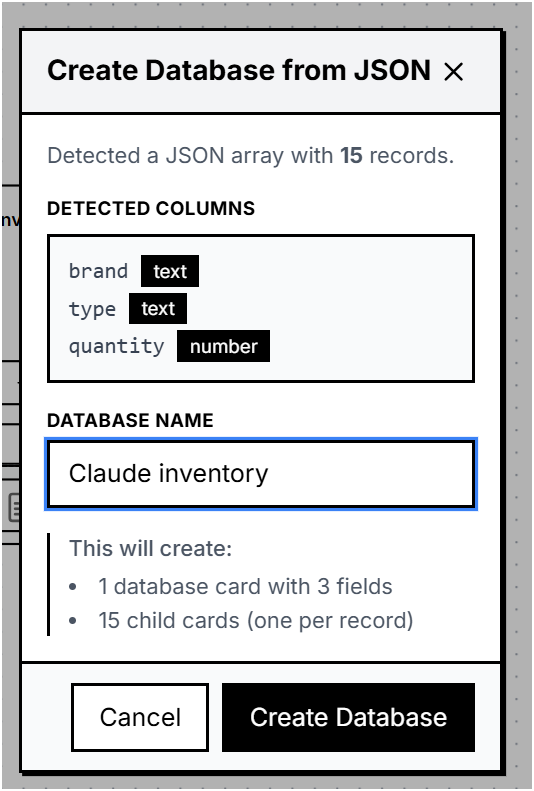 Claude detected 15 items with brand, type, and quantity fields
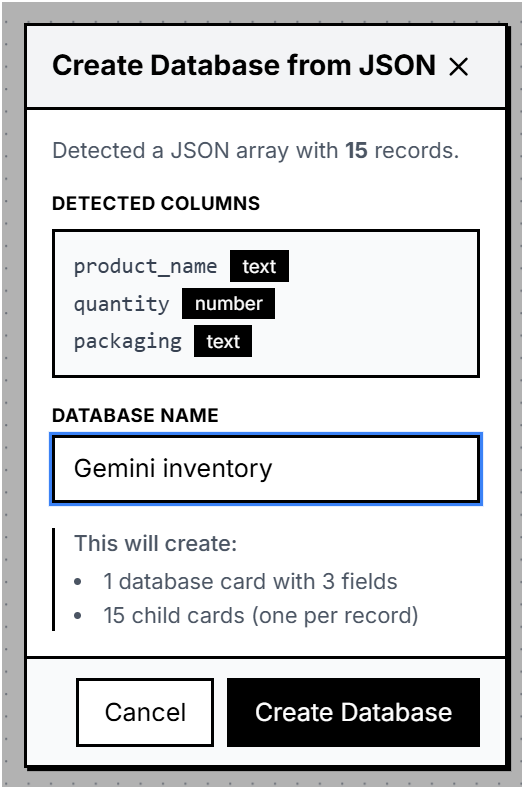 Gemini also found 15 items with similar structure
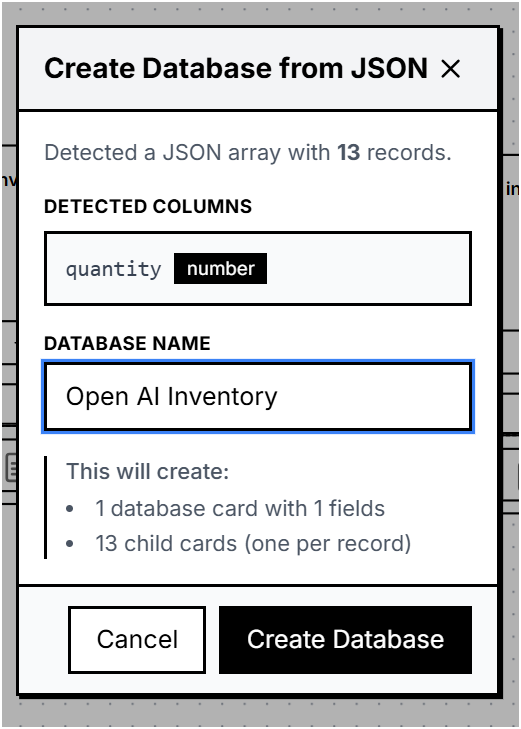 OpenAI detected 13 items with a simpler schema
The results were interesting - Claude and Gemini both detected 15 products while OpenAI found 13. The field detection also varied, Claude gave me brand, type, and quantity while OpenAI went minimal with just quantity. The fix was simple: reorganize the JSON so there is only one array of the products as a result.
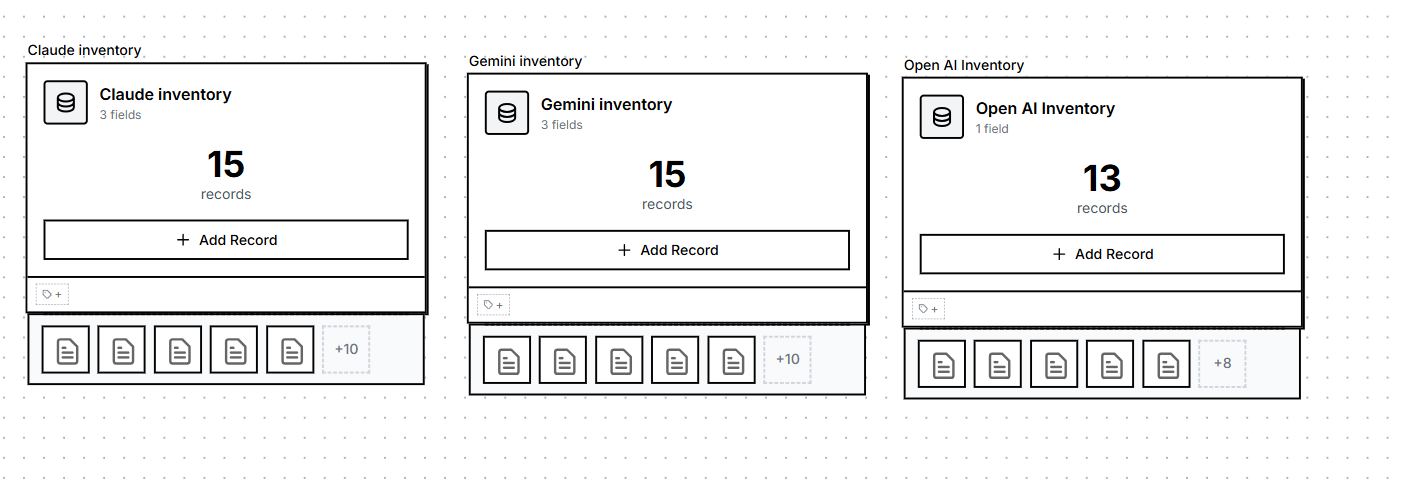 All three inventories imported as database cards in lilarmy
Setting up the automation
Here’s where the Python scripts come in. I wanted to automate the comparison between my “perfect inventory” (what I want to have) and the current state (what AI detected from a new photo).
The setup
- Duplicated the Database from Claude and named it “PERFECT INVENTORY”
- Created a new Card named “INVENTORY READINGS” with a Python script attached
- Set the script to trigger on
on_child_addedevent - so whenever I paste a new inventory, it runs automatically
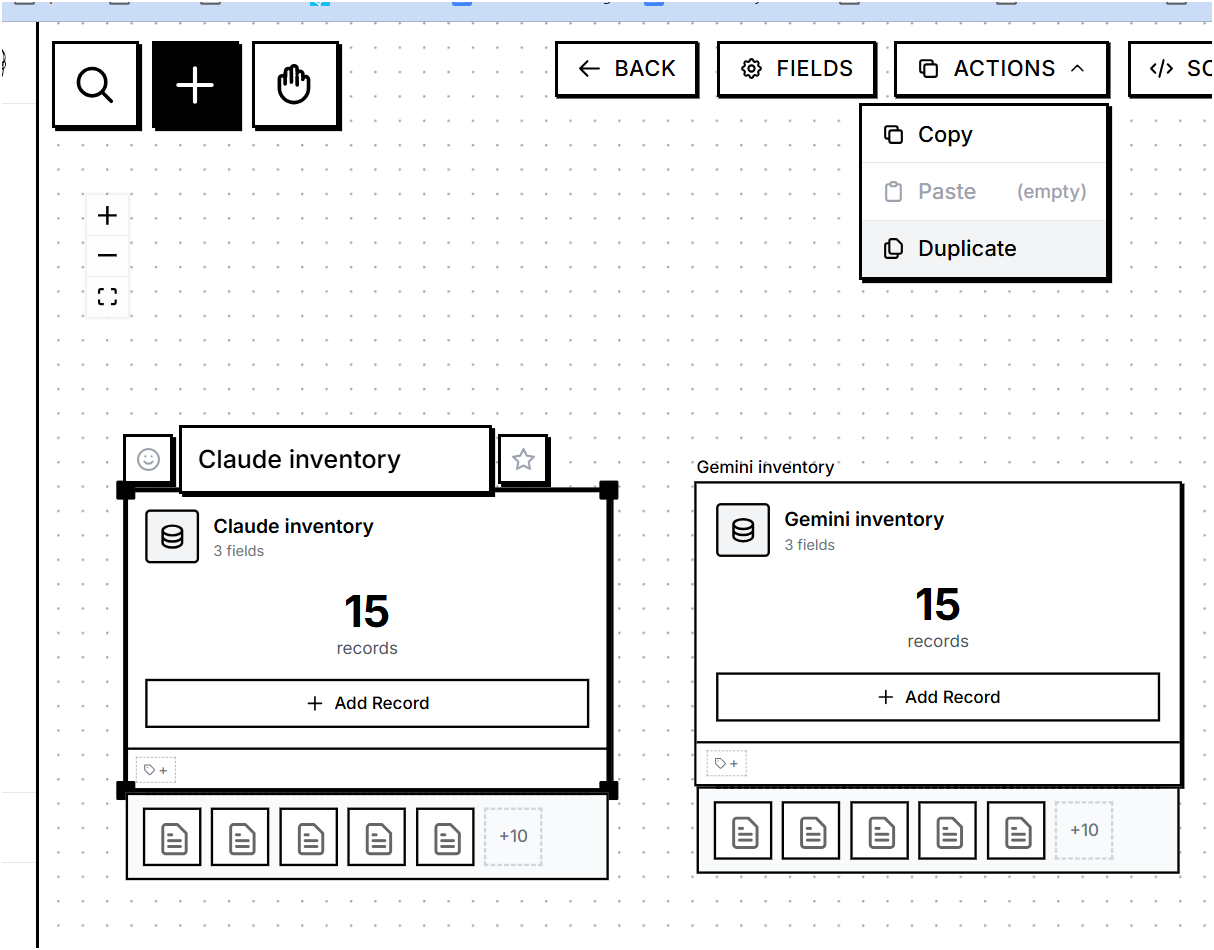 Using the duplicate action to create the reference inventory
The perfect inventory
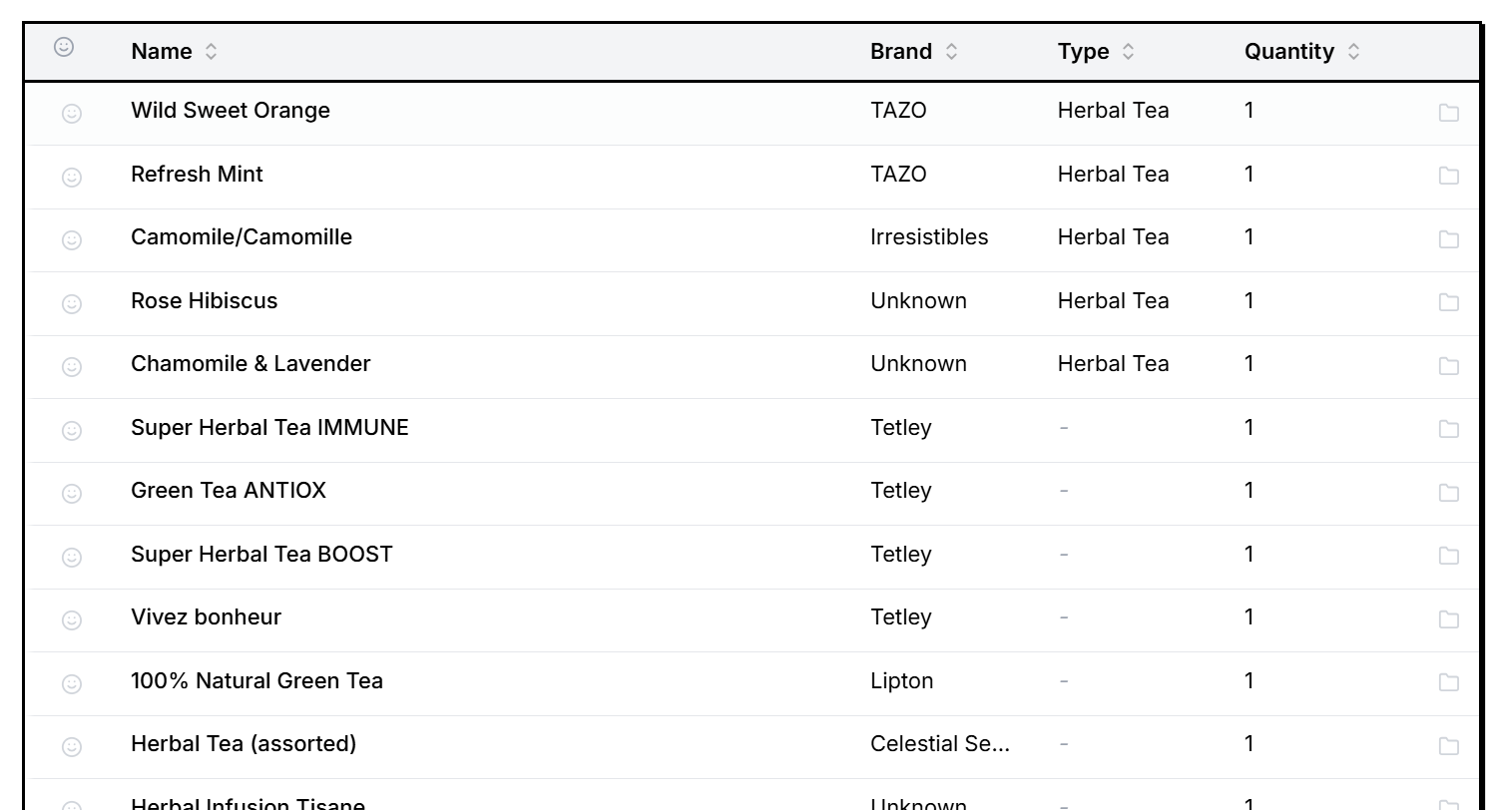 The table view shows all 15 items I want to keep in stock
The Python script
I asked Claudio to create the Python script that will: Read a newly created card of type database, will look for each of the cards in the “PERFECT INVENTORY” in the list of children cards of the newly created card, and the cards from “PERFECT INVENTORY” that are missing should be included in a list that should be inserted at the bottom of today’s card with the title “Grocery List”.
import re

def normalize_name(name):
    # Remove content inside parentheses, strip whitespace, and lower case
    name = re.sub(r'\([^)]*\)', '', name)
    return name.strip().lower()

# Get the PERFECT INVENTORY card
perfect_inventory = await cards.get_by_name("PERFECT INVENTORY")

if not perfect_inventory:
    log.error("PERFECT INVENTORY card not found")
elif not child:
    log.error("The 'child' variable is missing.")
else:
    # Build lookup of current items (Normalized Name -> Quantity)
    current_items = {}
    for c in child.children:
        norm_name = normalize_name(c.name)
        qty = c.data.get("quantity", 1)
        current_items[norm_name] = current_items.get(norm_name, 0) + qty

    # Compare with perfect inventory
    missing = []
    for item in perfect_inventory.children:
        norm_item_name = normalize_name(item.name)
        needed = item.data.get("quantity", 1)
        have = current_items.get(norm_item_name, 0)

        if have < needed:
            missing.append(f"- {item.name}: need {needed - have}")

    # Add to today's note
    if missing:
        today_card = await today.get()
        grocery_list = "\n\n## Grocery List\n" + "\n".join(missing)
        await cards.append_content(today_card.id, grocery_list)
        log.info(f"Added {len(missing)} items to grocery list")
    else:
        log.info("Inventory is complete! Nothing to buy.")
The script uses a normalize_name function to handle variations in how different AI providers name the same product. “Herbal Tea (assorted)” and “Herbal Tea” should match.
Testing it out
I did some changes to my fake tea inventory and took a new picture - removed some items to simulate running low:
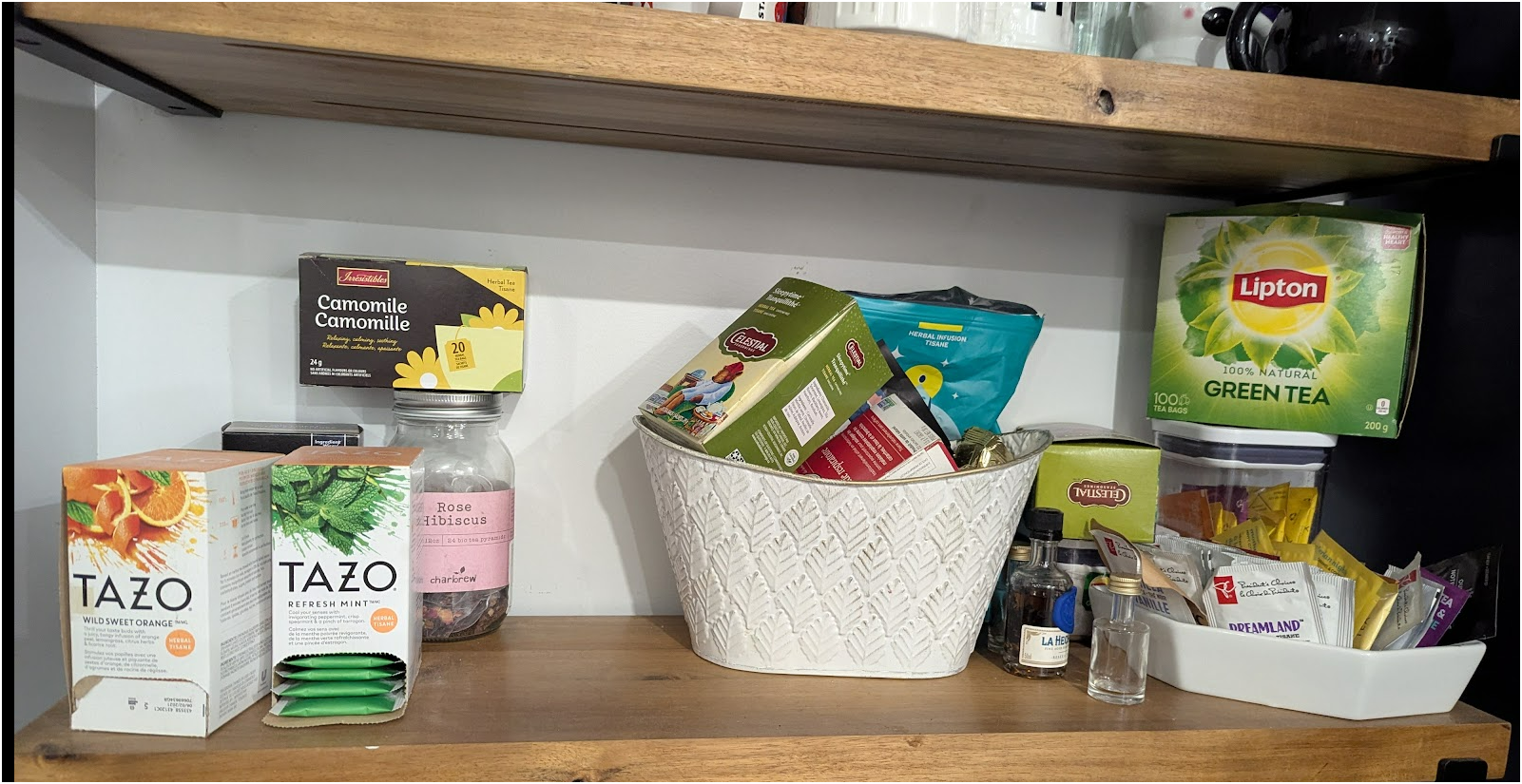 The pantry after “using” some teas
Then I pasted the updated inventory JSON in the “INVENTORY READINGS” card and voilà! The script detected the missing items and added them to my daily note:
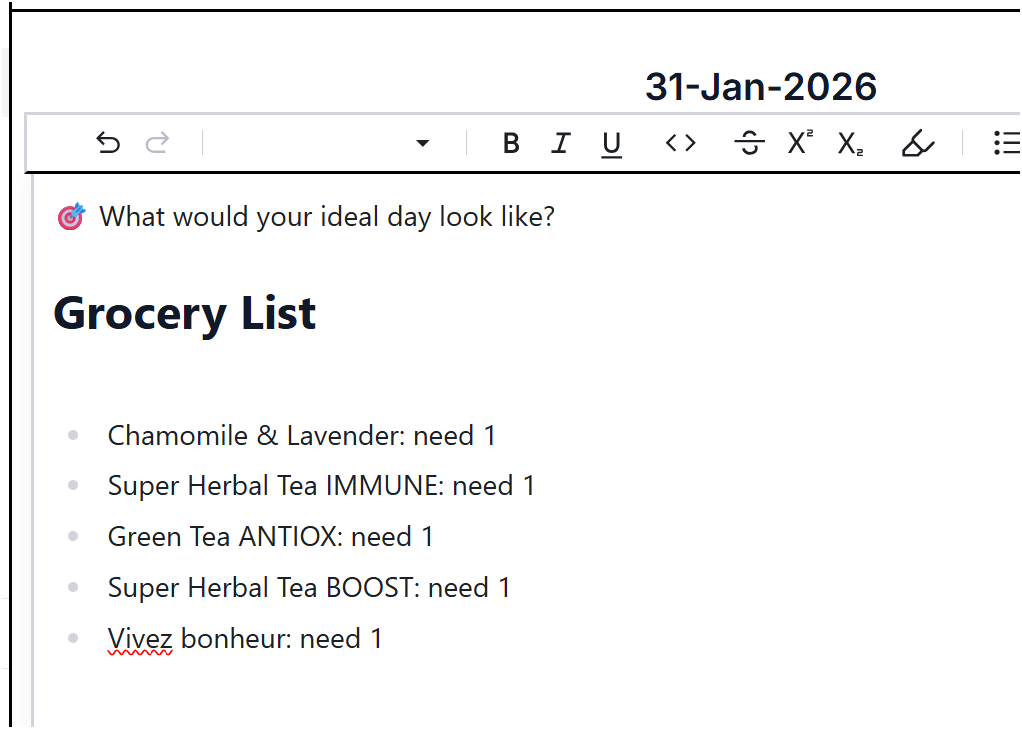 The grocery list automatically generated in today’s note
The script correctly identified the 5 missing teas: Chamomile & Lavender, Super Herbal Tea IMMUNE, Green Tea ANTIOX, Super Herbal Tea BOOST, and Vivez bonheur.
What I learned
This was a fun exercise in combining AI capabilities with deterministic automation. The AI does the heavy lifting of recognizing products from images, but the comparison logic is a simple Python script - no hallucinations, no creative interpretations, just straightforward list comparison.
The scripts feature in lilarmy runs Python via Pyodide (Python in WebAssembly) directly in the browser. All your data stays local, the script runs locally, everything stays under your control.
Have fun Deepesh!


